Your AI companion, right on your desk.
Ask what you want and you shall receive. No kidding, it can make decks, show multimedia, work with you to create apps and interactively work on coding agents.

Put it to work
Things you'll actually do with Tarvis.
Ask out loud and Tarvis does the work on screen, live, while you watch.
la pantalla
means...
One assistant, many talents
Everything Tarvis can do on a screen.
It does not just answer questions. It shows, plays, casts and gets real work done, all from a single screen.
Natural conversation
Talk to it like a person. Tarvis speaks back with live on-screen captions and a face that reacts.
Visuals & games
Ask for an image, a chart or a quick game. Tarvis draws data live and plays along, right on the display.
Media playback
Name a song or a video and it plays. YouTube, music videos and audio, all by voice.
Speaks 25+ languages
Talks, captions and translates in over 25 languages, switching on the fly to match whoever is in the room.
Knows what's on screen
Tarvis has context of whatever is being cast, the slide, video, PDF or page, so it can explain it and act on it.
Casts to any screen
Push anything to the big display and run more than one screen at once. No cables to swap.
Runs your workflows
Wires up the tools you use, like HubSpot and WhatsApp, and keeps them in sync without being asked.
Autonomous sessions
Hand it a task and it works on its own, building and shipping apps or keeping a system healthy.
Schedules & playlists
Decide what shows and when. Queue playlists and let Tarvis take over the screen on cue.
See it in action
Less assistant, more teammate.
Sees and shows
It doesn't just answer. It shows.
Ask Tarvis for the numbers and it turns them into a chart on the spot. Images, comparisons and data, drawn live and cast to the screen everyone is looking at.
Charts on command.
Bar, comparison and trend visuals from a plain-English ask.
Images in seconds.
Pulls or generates the picture you describe.
Straight to the big screen.
Whatever it makes, it casts for the whole room.
Population: France vs Spain
Does the busywork
It runs your tools, not just its mouth.
Connect the apps you already live in and Tarvis keeps them moving. In the demo it watches HubSpot for new tickets, drops each one into a WhatsApp group and nudges you before every meeting.
Always on.
Monitors and reacts without being asked twice.
Your stack, wired up.
HubSpot, WhatsApp, calendars and the rest.
Reminders that land.
Surfaces what matters, right when it matters.
Works on its own
Hand it a task. Walk away.
Tarvis runs agent sessions in the background, building and iterating on real software or keeping a system healthy. Check progress on screen whenever you like, and step in only when it asks.
Real sessions.
Long-running work, tracked and resumable.
Builds and ships.
Iterates on apps until they are ready.
Asks when stuck.
Flags the one decision only you can make.
$ tarvis code --resume add-self-vpn-support
reading src/lib/vpn.py ...
wiring wg-quick up into the boot path
running tests: 12 passed
$ git commit -m 'feat(vpn): self-vpn support'
PR #58 opened - waiting on review
Coding sessions
systemd-watchdog-liveness-check(needs input)
inputadd-self-vpn-support
selectCast straight from any of your devices and apps.
From any phone, laptop or tablet in the browser, or natively over AirPlay (including screen mirroring), Spotify and Bluetooth. Your screens, music and audio reach Tarvis either way.
Up and running in minutes
How it works.
- 1
Plug into any screen
Connect the Tarvis box to a TV or monitor over HDMI, or stand up the all-in-one tablet. Nothing to install.
- 2
Open Tarvis
From any phone or laptop, open Tarvis in the browser. It wakes up with a face and a voice.
- 3
Just ask
Speak or tap. Tarvis answers on screen, casts to the big display and gets things done for you.
 Tarvis box
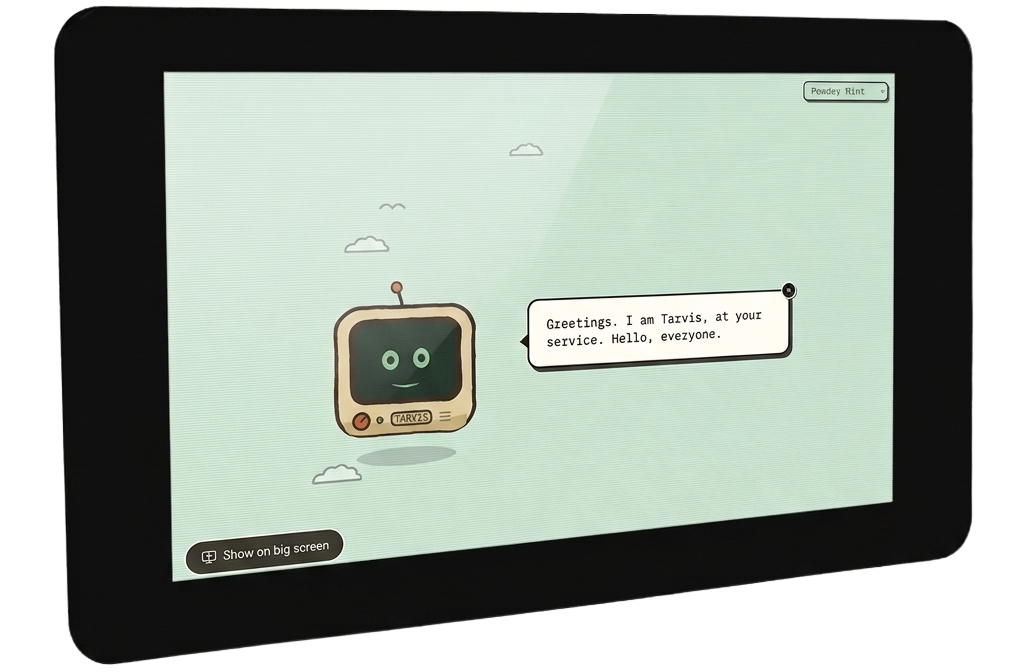 Tarvis tablet
Put Tarvis on your screen.
One palm-sized box or an all-in-one tablet turns any display into a talking, thinking assistant. Join the waitlist and be first in line.
Questions about Tarvis.
If you can't find what you're looking for, get in touch.